Your CertiChecker Learning Passport
Build a professional public profile that brings your certificates, skills, qualifications, work history, and achievements together in one organised place. Share your passport link with employers, clients, insurers, training providers, or add it to your socials.
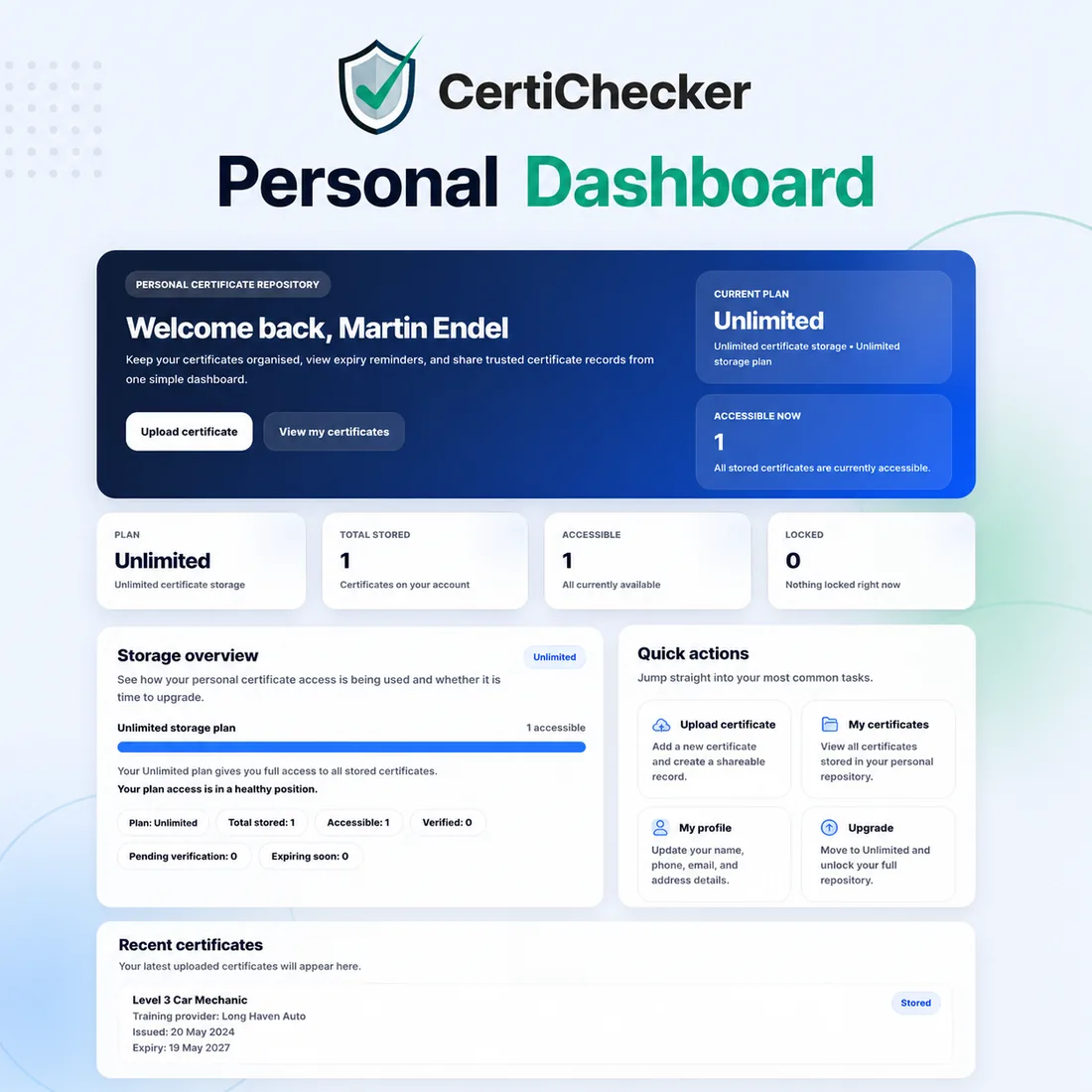
Illustrative dashboard. Personal certificates are uploaded and managed by the account holder.
More than certificate storage
CertiChecker personal accounts help you move beyond scattered files and screenshots. Your Learning Passport gives you a cleaner, more professional way to present your achievements.
Share a public link
Create a unique public passport URL that can be shared with employers, clients, insurers, or added to your social media profiles.
Show clear records
Display certificates, skills, qualifications, and work history in one organised profile linked to your CertiChecker account.
Download or print
Generate a professional Learning Passport PDF that can be downloaded, printed, or sent when you need a clean record of your achievements.
Your professional profile, ready to share
Your public Learning Passport can include your professional summary, key skills, certificates, work history, qualifications, portfolio evidence, and public contact details chosen by you.
- Public profile link for employers and clients
- Certificates pulled into your passport profile
- Skills, qualifications, and work history in one place
- Control what information appears publicly
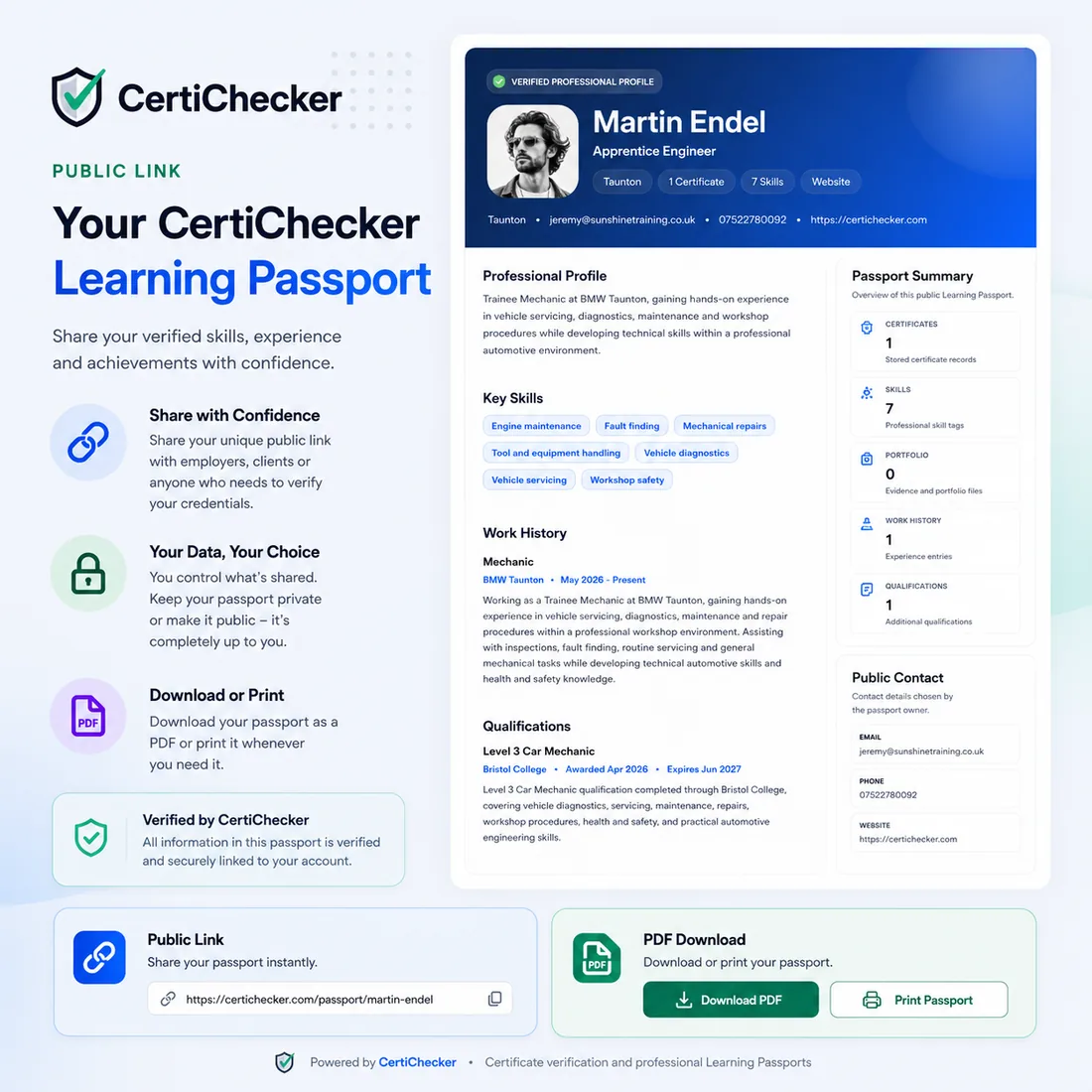
Passport content may be holder-entered. Admin review applies only where a record is explicitly marked as reviewed.
Download a clean professional PDF
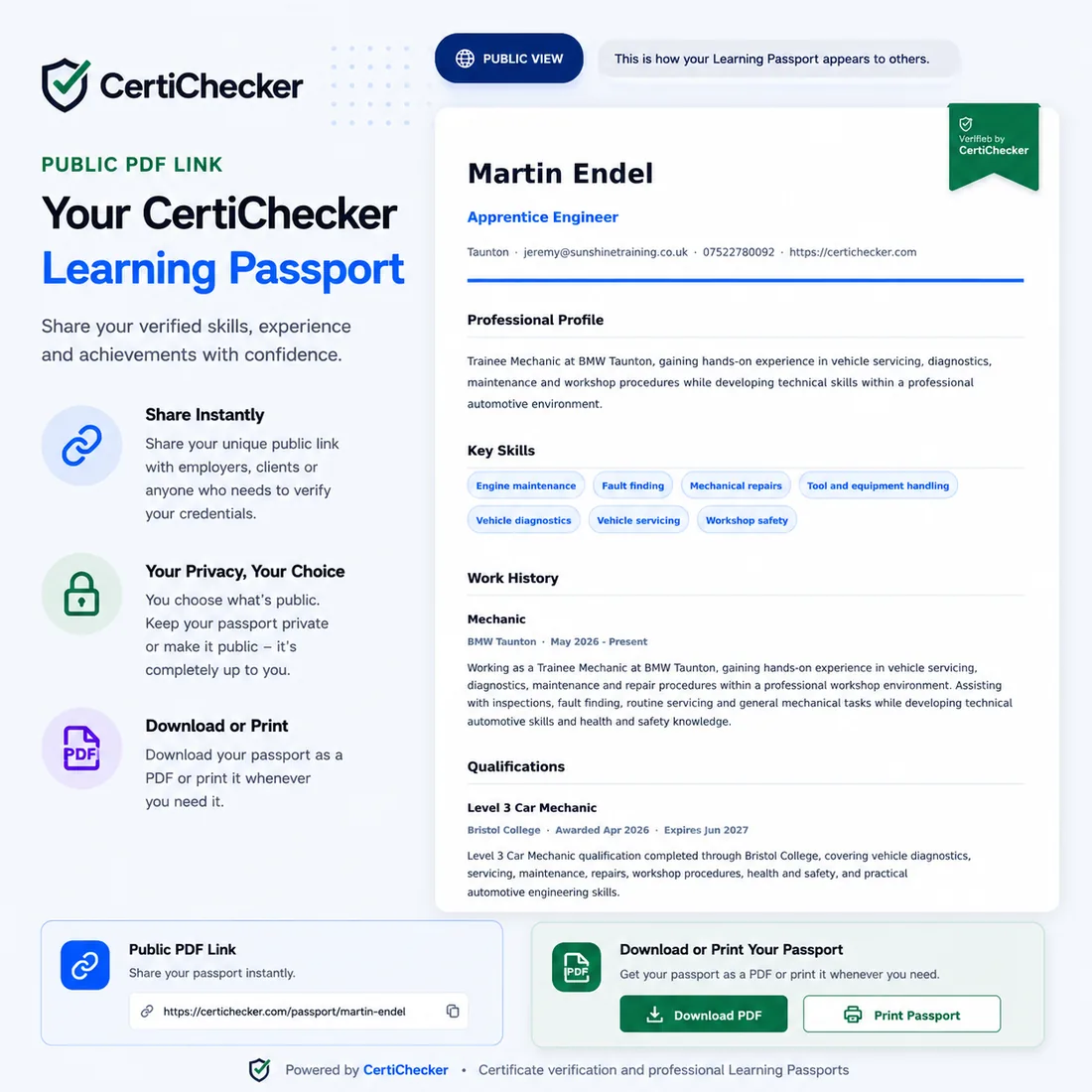
Need to send your profile as a document? Your Learning Passport can be downloaded or printed as a professional PDF, making it easier to share your verified background when needed.
- Download your passport as a PDF
- Print your profile for interviews or records
- Show certificates, skills, work history, and qualifications
- Hosted on CertiChecker
Build your passport in simple steps
Start with a personal account, upload your certificates, add your profile details, then share your public passport when you are ready.
Create your personal account
Register for a personal CertiChecker account and start organising your certificate records online.
Add certificates and profile details
Upload certificates, add qualifications, skills, work history, and professional profile information.
Share your passport link
Use your public passport URL on socials, job applications, employer checks, or when asked to prove your achievements.
Unlock unlimited certificate storage and your public Learning Passport
Personal users can upgrade for £10/month to store unlimited certificates and access their public Learning Passport tools.
Designed to look professional wherever you share it
Your passport is made to feel clean, modern, and easy to read whether someone views your public profile, public PDF link, or downloaded version.

Public Learning Passport questions
Answers to common questions about personal accounts and passport sharing.
What is a Public Learning Passport?
It is a shareable professional profile that can show your certificates, skills, qualifications, work history, portfolio evidence, and selected contact information.
Can I add it to my social media?
Yes. You can use your public passport URL on socials, websites, applications, or anywhere you want to showcase your credentials.
Can I keep my passport private?
Yes. You control what is shared and can choose when your passport is public or private.
Does it replace a CV?
It can support your CV by providing a live, professional place to showcase certificates, skills, qualifications, and achievements.
Ready to create your Learning Passport?
Start your personal CertiChecker account and build a professional profile that helps you share your achievements with confidence.